How the minutes are counted, and why Superclock never sees your apps
A limit in Superclock is built on Apple’s Screen Time API, and that API is designed so an app can set a limit without seeing your usage.
The picker
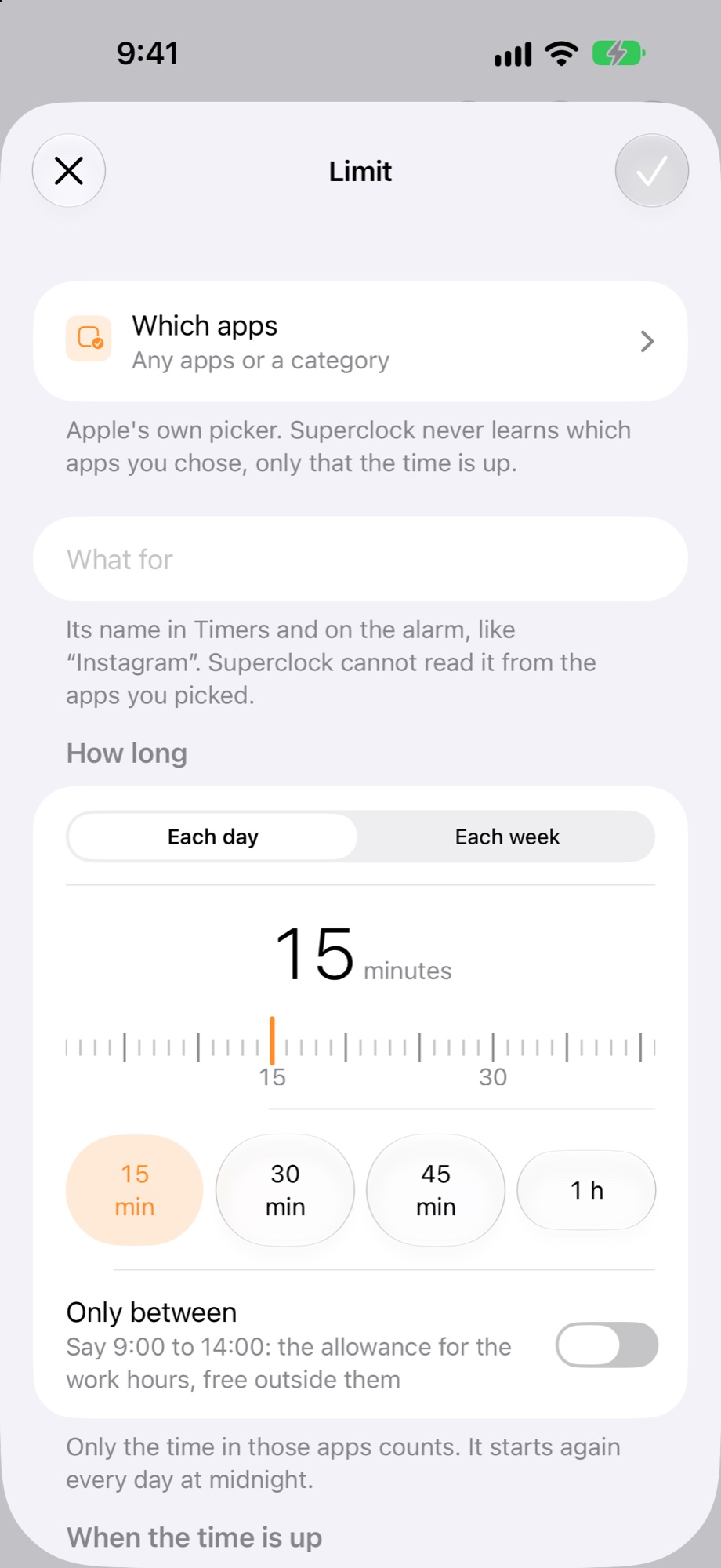
When you tap Which apps, Apple’s own picker opens. Superclock gets back a token for what you chose, not the names: the sheet says “Superclock never learns which apps you chose, only that the time is up”. That is why the limit asks for a name of its own, like “Instagram”.
The count
Apple counts the minutes on the phone. When they reach the allowance, Apple tells Superclock the time is up, and Superclock rings or blocks. Nothing about which app, or how long, reaches Superclock itself.
The minutes used
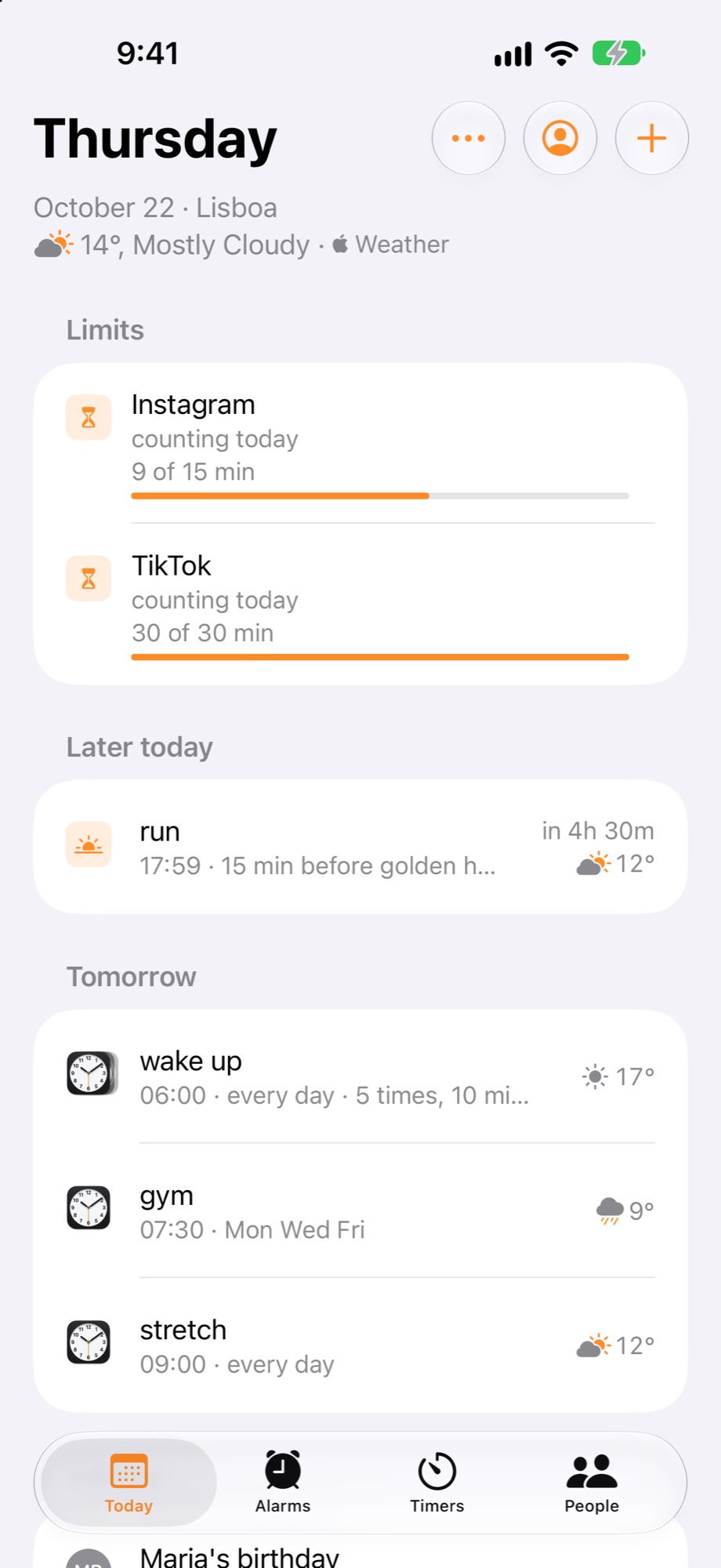
The “9 of 15 min” bar on Today and in Timers is drawn by a small extension that Apple hands the number to. The extension draws it inside Superclock; the app never receives the number, cannot save it, and cannot send it to superclock.app or to an agent.
What leaves the phone
Nothing. The limit, its name and its allowance are yours; signed in, they come back on a new phone with your alarms. The apps picked and the minutes used stay on the phone, with Apple.