Limit Instagram to 15 minutes a day on iPhone
Superclock’s limit is a timer on an app. Apple counts the minutes on the phone; Superclock only learns that the time is up, and then it rings like any alarm, through silent and Focus.
1. Timers, then Limit
Open Superclock, go to Timers and tap Limit. The first time, iPhone asks for Screen Time access. That is Apple’s own sheet: it lets Apple count the minutes for Superclock. Superclock never sees your usage.
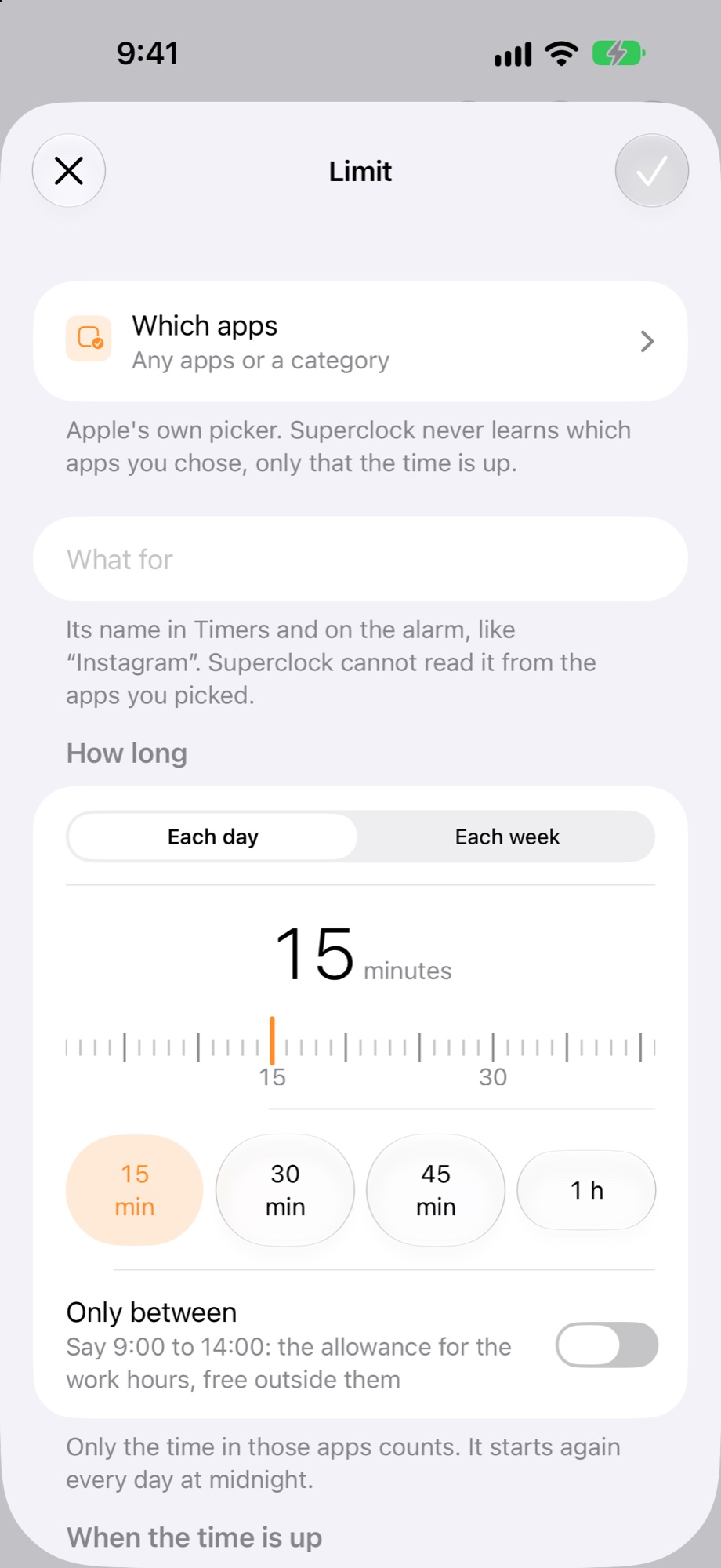
2. Which apps
Tap Which apps. Apple’s picker opens; choose Instagram, or the whole Social category. Superclock never learns which apps you chose, only that the time is up. Give the limit a name, like “Instagram”: Superclock cannot read it from the apps you picked.
3. How long
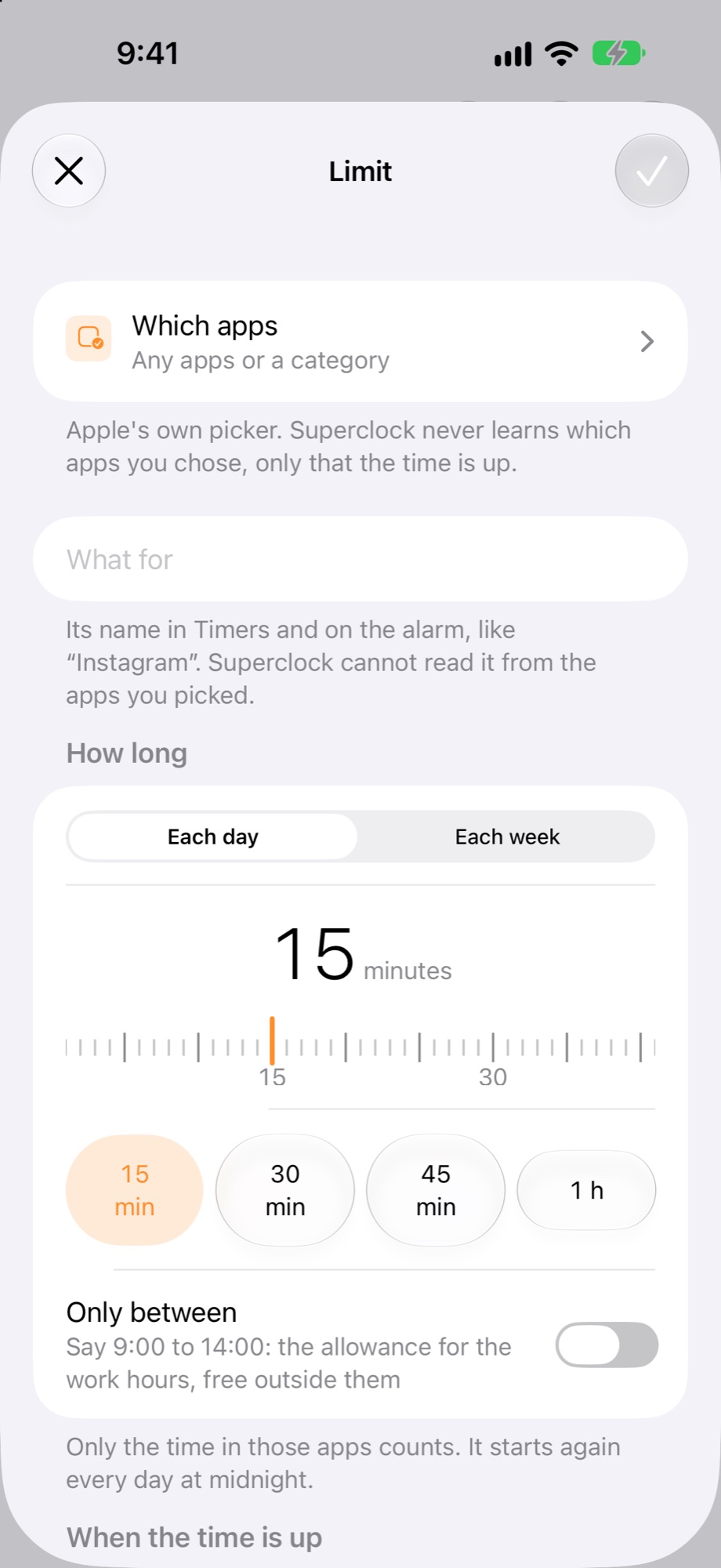
Each day, 15 minutes. The dial goes from 1 minute to 3 hours, and the chips under it are the usual spots. Only the time in Instagram counts, and it starts again every day at midnight.
4. When the time is up
Choose “ring, then block”: Superclock rings, and Instagram closes until tomorrow. Open Instagram after that and you see Superclock’s words over it: “You set 15 min in Superclock. It opens again tomorrow at 00:00.”
What you see during the day
Today and Timers show the limit with the minutes used, “9 of 15 min”, and the Limits widget on the Home Screen says “counting today” or “until tomorrow”.
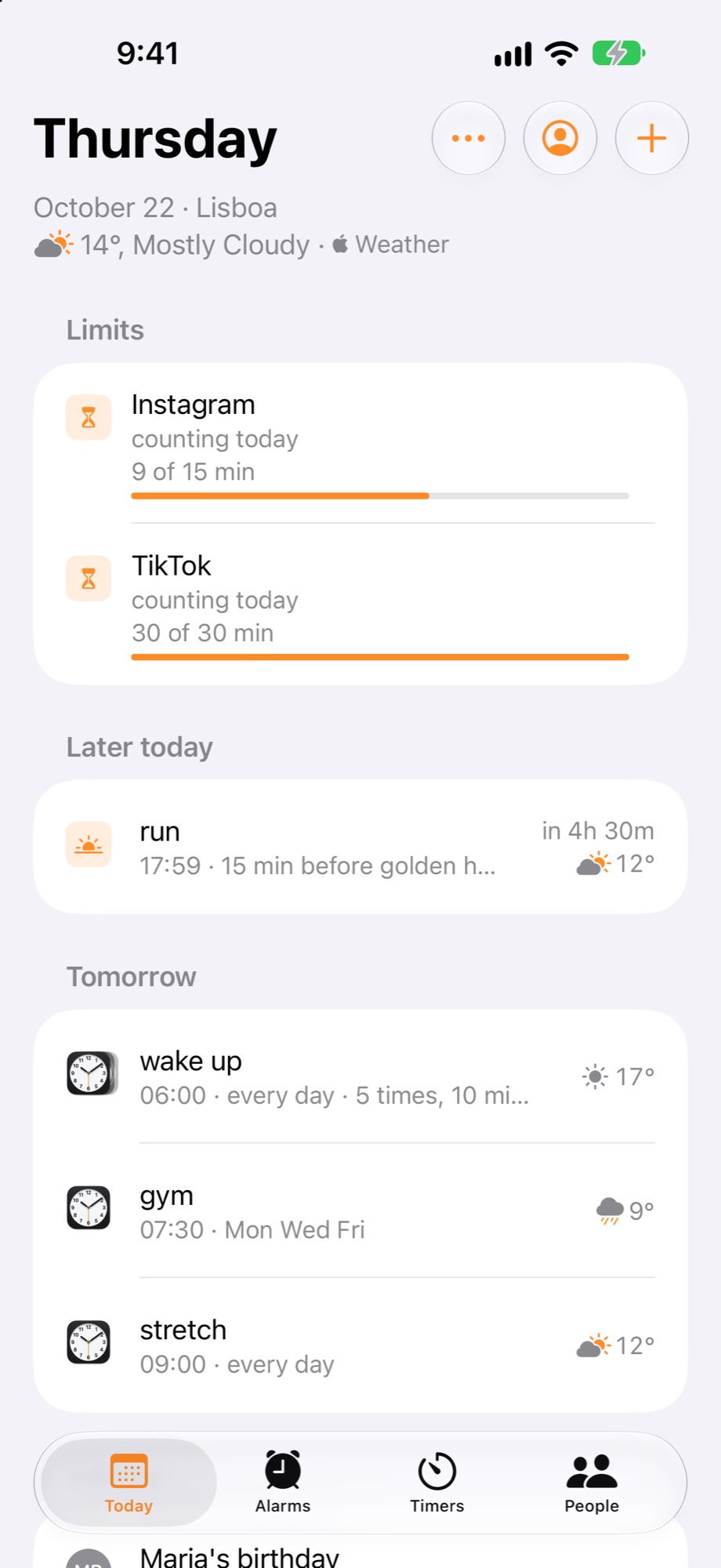
Change the limit by tapping it on Today or Timers. Remove it there too; the app opens again at once.