One budget a week for games
A daily limit is the wrong shape for games. A long session on Saturday is fine if the week stays small. Superclock’s limit has Each week for that.
Set it
In Timers, tap Limit. In Which apps, pick the Games category in Apple’s picker, so every game counts, including ones installed later. In How long, choose Each week and set 2 hours.
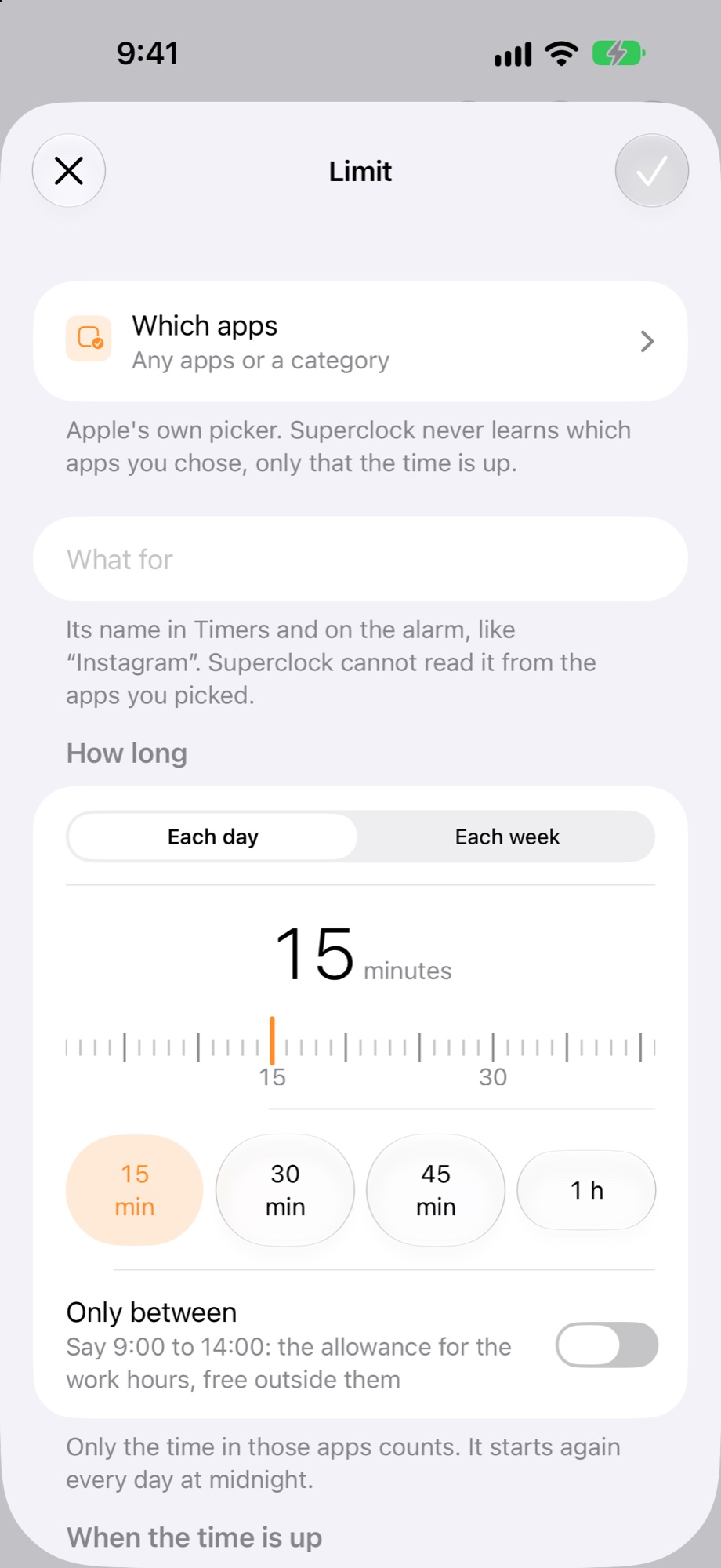
Choose what happens when the time is up: ring, ring then block, or just block. With “ring, then block”, the games close until the week starts again.
How a week is counted
The week starts on the phone’s own first weekday (Monday in most countries, Sunday in some), and the count starts again then. Only the time in the games counts. Apple counts it on the phone; Superclock never learns which games you play.
Where you see it
The Limits widget on the Home Screen and Today show “counting this week” with the minutes used, and “until Monday” once the budget is spent.